Open, don’t install
Use SoloHQ at its official address in any modern browser. Save it as a browser startup page when you want it ready every day.
SoloHQ keeps projects, dated notes, bookmarks, and public updates together. Sign in with Google to use the same private SoloHQ workspace across your devices.
No download · No separate demo · Free to open
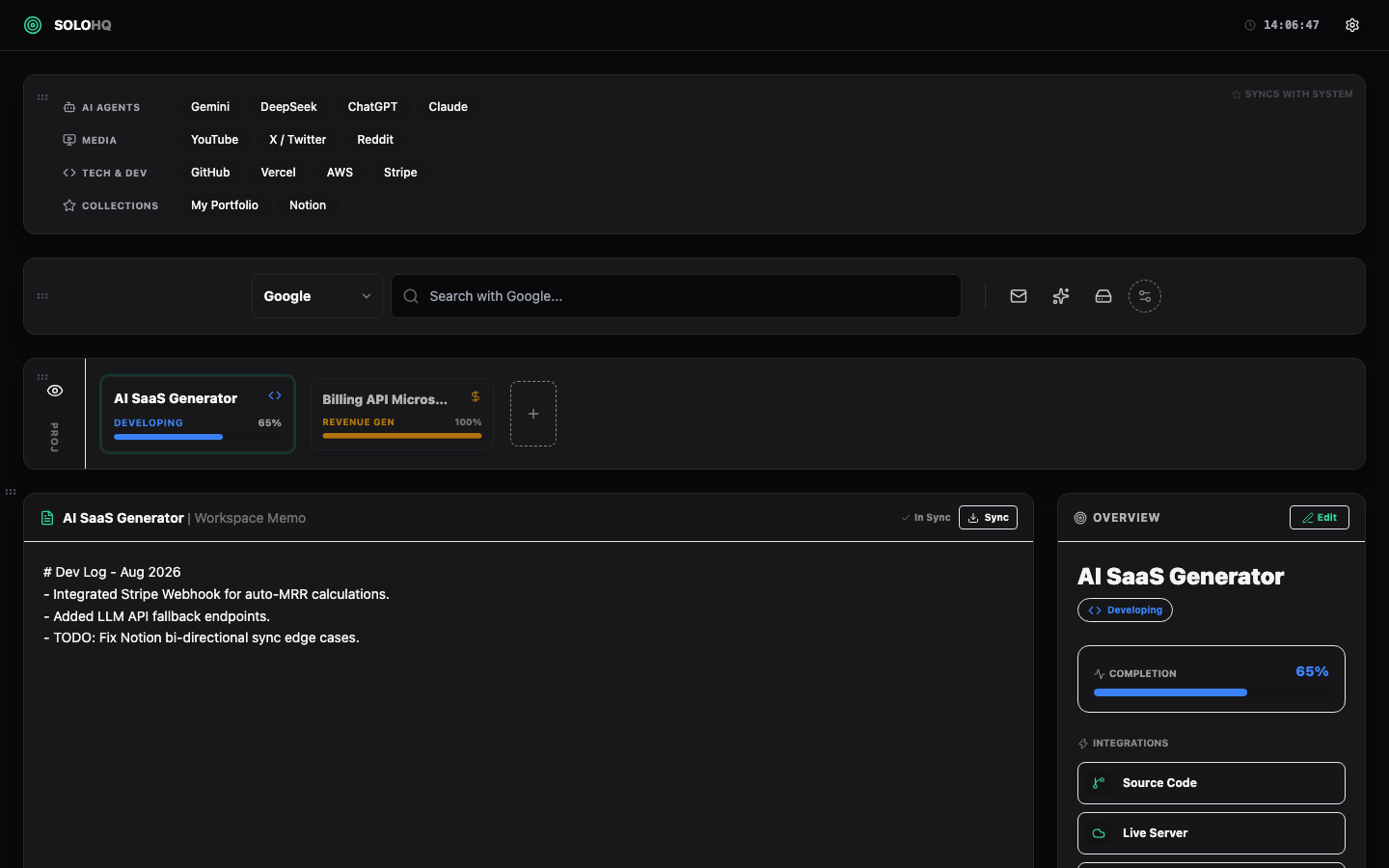
No installer and no separate trial: the product page always opens the official workspace.
Use SoloHQ at its official address in any modern browser. Save it as a browser startup page when you want it ready every day.
Google sign-in identifies your private SoloHQ workspace so the same projects and settings are available on your signed-in devices.
Projects, notes, links and public release feeds sit together, without turning SoloHQ into another chat or inbox.
The screenshot is from the official SoloHQ interface. The workspace remains the only maintained experience; demo links open it directly.
Go to the official workspace →Each feature stays intentionally small, connected, and easy to leave with an export.
Create a focused project space, keep status and progress visible, and use the workspace as your browser start page.
Notes receive a date and are indexed by date. Pin an important note to keep its title or preview at the top.
Add, edit, remove, reorder, and move bookmarks between categories. A category can be deleted only after it is empty.
Follow user-selected public GitHub releases and RSS/Atom feeds without granting mailbox, calendar, or task access.
For a project that needs a shareable document, explicitly connect Google Docs and keep a project-named document updated.
Choose language, theme, and start behavior. Export JSON or import a backup whenever you need a portable copy.
Go to the official workspace in a browser; no extension or installer is required.
Use Google sign-in so SoloHQ can match the same private workspace on each signed-in device.
Create a project, add notes and bookmarks, then choose only the public GitHub or RSS/Atom sources you want to follow.
Google sign-in gives SoloHQ a stable account identity. It does not turn SoloHQ into a reader for your Google mailbox, calendar, or tasks.
The official SoloHQ address is the product. Any former Demo link now takes you here.
Open SoloHQ →